Introduction
Most of the AI conversations I’m having with SMB owners right now sound the same. They fall into one of two camps.
Camp one is excited but overwhelmed. They’ve watched demos, read newsletters, maybe played with ChatGPT, and they know AI should be helping their business – they just can’t figure out where to start or what’s actually safe to trust with their data.
Camp two is skeptical. They’ve seen enough hype cycles to know that “AI will transform your business” usually means “pay us a lot of money and hope it works.”
Both camps are right, in a way. The tech is real. The hype is also real. And the gap between “interesting demo” and “useful in my actual business” is wider than most AI vendors want you to believe.
So let’s skip the theoretical stuff. Here are three AI automations that Ontario SMBs I work with are using today. They’re safe (your data stays protected), they’re practical (they solve real problems), and you can start with any of them this week without a big project, a consultant, or a new system.
Why “safe” matters more than “smart”
Before we get to the three automations, one quick note on what “safe” means in this context.
The fastest way to blow up trust in AI inside your business is to roll out something that makes a bad mistake on a customer or leaks data that should have stayed private. I’ve watched it happen. Someone sets up an AI tool on top of sensitive data without thinking through what the tool is doing with that data, and suddenly you’ve got a policy problem on top of a productivity problem.
The three automations below are safe because they meet three tests: (1) the data stays in systems you control, (2) a human is still in the loop for anything that reaches a customer, and (3) the failure mode is “AI got it wrong, human corrects it” rather than “AI got it wrong, customer sees it.”
Start there. You can get more ambitious later.
Automation #1: Email triage
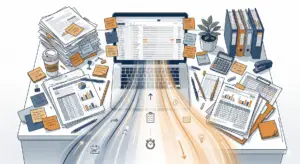
**The problem it solves:** You (or someone on your team) spends 30-60 minutes every morning working through the inbox before real work starts. Most of those emails could be sorted, prioritized, or answered with a standard response. But triaging them still takes focus and time.
**What it looks like in practice:** An AI layer sits on top of your email (Gmail, Outlook, whatever you use) and does three things – it tags incoming messages by category (client question, internal request, vendor, newsletter, follow-up needed), it drafts replies for common request types, and it surfaces the three or four emails that actually need your attention first.
You’re still reading everything you want to read. You’re still sending every reply yourself. But the sorting and draft-writing happen before you open the inbox.
**Real example:** A 20-person accounting firm we worked with was spending 45 minutes a day just on “where does this email go and who should handle it.” They set up a simple triage rule using an AI tool integrated with their email system. The tool categorized incoming client emails by service type and suggested a routing. Accuracy was around 92% after the first two weeks of training. They got an hour a day back across the partners – real time that went into billable work.
**How to start:** Pick one inbox (yours, or a shared one). Look at a week’s worth of incoming email. Identify the three or four most common request types. Start there – automate the sorting for those, and draft template responses for the top two. You don’t need a custom build; tools like Superhuman, Shortwave, or AI features inside Gmail and Outlook can do a lot of this out of the box.
Automation #2: Quote and proposal drafting
**The problem it solves:** Creating a quote or proposal is a high-value activity (it leads directly to revenue), but it’s also a repetitive activity. Most quotes follow a similar structure, pull from a similar library of descriptions, and take longer than they should because someone is copy-pasting and reformatting.
**What it looks like in practice:** You feed the AI your past successful quotes, your standard pricing, and your service descriptions. When a new opportunity comes in, the AI generates a first draft of the quote based on the inputs you provide – scope, client type, pricing tier. A human reviews, tweaks, and sends.
**Real example:** We worked with a GTA professional services firm whose quoting process took about three hours per proposal across four people – account manager talks to client, passes to estimator, estimator drafts the numbers, account manager puts it in the proposal template, partner reviews. They built a simple AI-assisted drafting layer using their existing data from past proposals. New proposal drafts now take about 30 minutes end-to-end. Same four people touch it, but only for review, not creation. The kicker: their close rate went up about 15% because they’re responding to prospects within 24 hours instead of 3-4 days.
**How to start:** Gather your last 10-20 successful proposals or quotes. Write a clear description of your pricing logic (what goes into each tier, when you adjust, what’s always included). Feed that to an AI tool with document generation capabilities. Generate a test proposal for a hypothetical client and see how close it gets. You’ll iterate on the prompt and the inputs, but the first useful draft usually comes within a week.
Automation #3: Meeting notes and follow-ups
**The problem it solves:** Meetings consume enormous time, but the outputs (notes, action items, follow-up emails) often get dropped or done badly because everyone is tired after a 60-minute call. The result is meetings that don’t translate into action, decisions that don’t get documented, and follow-up emails that take another 20 minutes to write.
**What it looks like in practice:** An AI meeting assistant joins your calls (Zoom, Teams, Google Meet) and does three things automatically – it produces an accurate transcript, it summarizes the key decisions and action items with owners, and it drafts follow-up emails or task entries you can send or add to your project system with a single click.
**Real example:** A construction firm owner I work with runs four client site meetings a week, plus internal production meetings every morning. Before AI notes, he was spending about 6 hours a week on meeting follow-ups – and still missing things. After setting up an AI meeting assistant (they use Fathom, but there are good options from Otter, Fireflies, Granola, and others), he gets a clean action-item summary emailed to him within minutes of every meeting ending. His follow-up time dropped to under 90 minutes a week. More importantly, fewer items fall through the cracks between meetings.
**How to start:** Pick one type of meeting – probably your most frequent one. Turn on AI notes for that meeting only for the next two weeks. Compare the AI notes against what you or your team would have written manually. Tune the prompts for summary style if you need to. Once it’s reliable for that meeting type, roll it out to other meetings.
The pattern behind the three
You’ll notice these three have something in common: they’re all “human judgment applied to AI drafts” workflows. The AI does the repetitive, mechanical parts – sorting, drafting, transcribing. The human does the judgment parts – deciding what matters, tweaking the output, making the final call.
This is the right pattern for most SMB AI adoption in 2026. The AI isn’t replacing anyone. It’s removing the 30-40% of their job that was mechanical busywork and giving that time back to work that actually requires their experience and relationships.
That’s also why these three are safe. The AI never makes a decision without a human in the loop. It never sends something to a customer on its own. If it gets something wrong, the human catches it before it does damage.
What to do this week
Pick one. Don’t try to do all three at once – you’ll spread your attention too thin and end up doing none of them well.
If your biggest daily drain is the inbox, start with email triage. If it’s quote response time, start with proposal drafting. If you’re drowning in meetings, start with AI notes.
Most of these can be set up in an afternoon with tools you may already have. If you want a guided look at what’s possible in your specific business – including what’s realistic, what’s safe, and what the ROI looks like – book a free 30-minute AI Opportunity demo with us. We’ll walk through your workflow and identify the one or two automations that would give you the biggest win: https://els-partners.com/#quickscan
The bottom line
AI isn’t magic, and it isn’t a silver bullet. But it’s also not a hype cycle you need to sit out. The businesses getting ahead right now aren’t the ones making moonshot bets – they’re the ones running small, safe, practical pilots and compounding the wins.
Three automations. One week. Zero big projects. Start there.
For more on where manual work is costing your business, read our companion post: The Hidden Cost of Manual Processes for Small Businesses – https://els-partners.com/blog/hidden-cost-manual-processes-small-business
And if you want to see where your team’s time is actually going before you pick your first automation, grab the free Busy Work Logbook here: https://els-partners.com/see-where-your-time-is-actually-going/?utm_source=blog&utm_medium=content&utm_campaign=spring-2026